In this guide
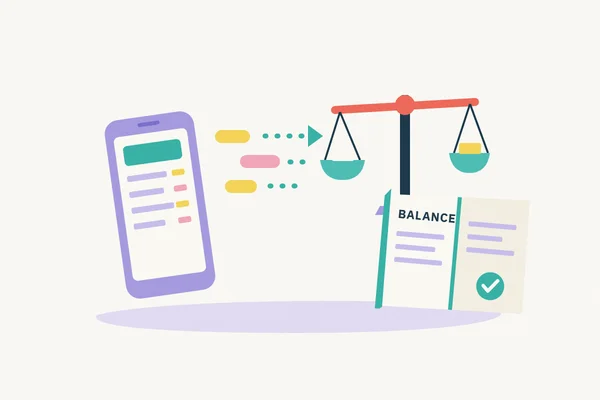
A bank feed can save time by bringing statement lines into bookkeeping software. It does not, on its own, confirm that the books are complete or that every entry has been recorded correctly. Reconciliation means comparing the bank’s record with the business’s accounting records, then following up any difference.
Three records are involved:
- The bank statement shows transactions processed by the bank and the balance on the account.
- The bank feed brings statement lines into bookkeeping software. Check which dates and transactions have actually arrived.
- The bookkeeping ledger records what the business received, spent, owes or is owed. It may include invoices, bills and other entries that have not yet reached the bank.
An unpaid invoice may appear in the ledger before it reaches the bank. Reconciliation checks that bank movements have an explanation in the books and that the balances can be bridged.
Work from the statement period
Choose the account and statement dates you are checking. Confirm the opening balance, then compare the statement lines with the bookkeeping records one by one. Match a bank entry to an existing invoice payment, bill or other transaction when the records support that match. If it has not been recorded, identify what it was before adding it. A bank description alone may not tell you whether a payment is a business expense, a loan repayment, money introduced by an owner or something else.
Check the closing balance too. A list of lines marked “matched” is not enough if a statement was skipped or a duplicate included. Keep the statement and supporting invoices, receipts or notes. HMRC requires accurate records that identify self-employed business transactions, and company records of money received and spent. Bank statements can support these records. (Self-employed records; company and accounting records.)
A simple example
Suppose a business account starts the month at £2,000, with the books and statement agreeing. Its only movements are a customer receipt of £700, a supplier payment of £120 and a bank charge of £30. There are no outstanding payments or timing differences. The statement closing balance is £2,550:
| Hypothetical statement movement | Amount |
|---|---|
| Opening balance | £2,000 |
| Customer receipt | +£700 |
| Supplier payment | −£120 |
| Bank charge | −£30 |
| Closing balance | £2,550 |
If the bookkeeping ledger includes the receipt and supplier payment but has no bank charge, its calculated bank balance is £2,580. The £30 difference points to a missing entry. Check the statement and any bank advice, record the charge in the right place, then confirm that the ledger’s bank balance agrees with the statement at the period end. These figures are illustrative only.
Look for gaps and duplicates
Check the feed's latest transaction date against the statement. If you plan to import a statement file to fill a gap, compare its dates and entries with those already in the system first. Check your software's import rules before proceeding, especially where the periods overlap.
Duplicate entries need a check against the original statement before you correct them. QuickBooks documents how to handle duplicate bank transactions, with different steps depending on whether an entry has already been categorised or matched. The process for your own software may differ. If an entry has already been used in completed accounts or returns, discuss the correction with the person responsible before changing it.
Check the date, amount, description and supporting records first. A payment and its later bank deposit may be linked parts of one transaction; two similar charges may be separate. Check whether the actual bank statement shows one movement or two before changing the books.
Transfers between the business’s own accounts need care. The outgoing payment and incoming receipt should be recorded as a transfer between those bank accounts. They are not a sale or an expense. Match each side to the same transfer so it does not inflate income or spending. If the two sides appear on different dates, note the timing and check that both are recorded.
Keep an exceptions list
List unexplained lines with the date, amount, account and evidence needed. Follow up missing statements, unusual payments, unmatched fees and duplicates. Note timing differences and return to them when the other side appears. Do not force a match to clear the list.
A regular review makes it easier to spot gaps before accounts or returns are prepared. For the bookkeeping and reconciliation work included in the agreed scope, see Swift’s Bookkeeping and VAT Returns service. If you are handing over existing records, the bookkeeping handover guide covers the documents and context to prepare.
Need help keeping your records up to date?
Keep your bookkeeping up to date, with reconciliations and VAT returns where included. We agree the scope and fee before work starts.
Discuss your bookkeeping